
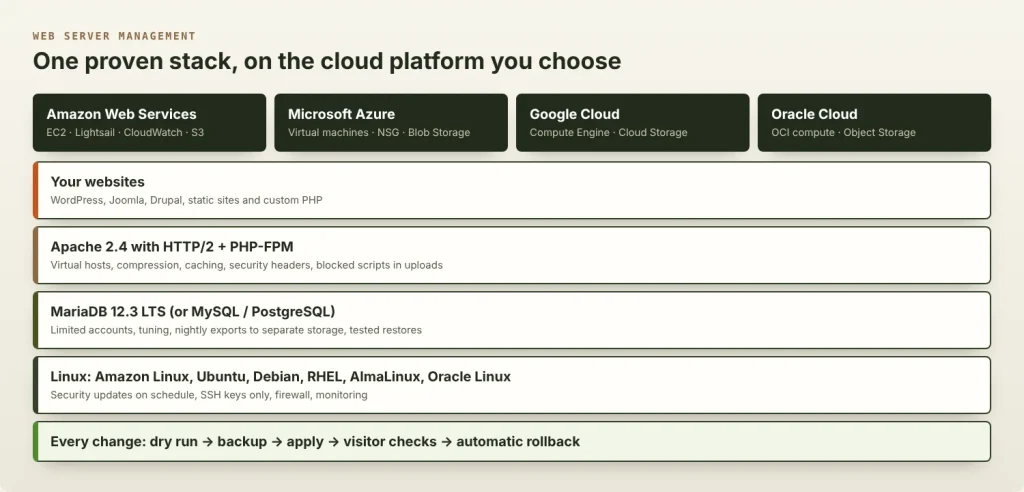
Web server management from Not Without IT covers everything between your website and the cloud: the Linux operating system, the Apache web server, PHP and the MariaDB database. We install, configure, harden and update them on dedicated Linux servers at Amazon Web Services, Microsoft Azure, Google Cloud and Oracle Cloud, and then we keep them running.
A website is only as reliable as the server underneath it. Many organizations, however, run servers that nobody has updated for years, with database versions that no longer receive security fixes and backups that nobody has tested. As a result, a routine problem becomes an outage. We run our own websites on servers we manage ourselves, and we apply the same routines to yours.
What our web server management covers
We take responsibility for the whole stack, from the operating system to the database:
- Linux: installation and hardening of Amazon Linux, Ubuntu, Debian, Red Hat Enterprise Linux, AlmaLinux or Oracle Linux, with security updates on a fixed schedule.
- Apache: virtual hosts for every site, HTTP/2, compression, caching, security headers and rules that block access to sensitive files.
- PHP: PHP-FPM tuned for your traffic, current supported versions and only the extensions your sites need.
- MariaDB and MySQL: installation, user accounts with minimal rights, performance tuning, upgrades between versions and automated backups.
- SSL: Let’s Encrypt certificates with automatic renewal and monitoring of every expiry date.
- Backups: database exports and file backups to separate storage, with regular restore tests.
- Monitoring: alerts for downtime, high load, full disks and failed backups.
In addition, every change is documented, so your organization always knows what runs on its servers.
Web server management with backup and automatic rollback
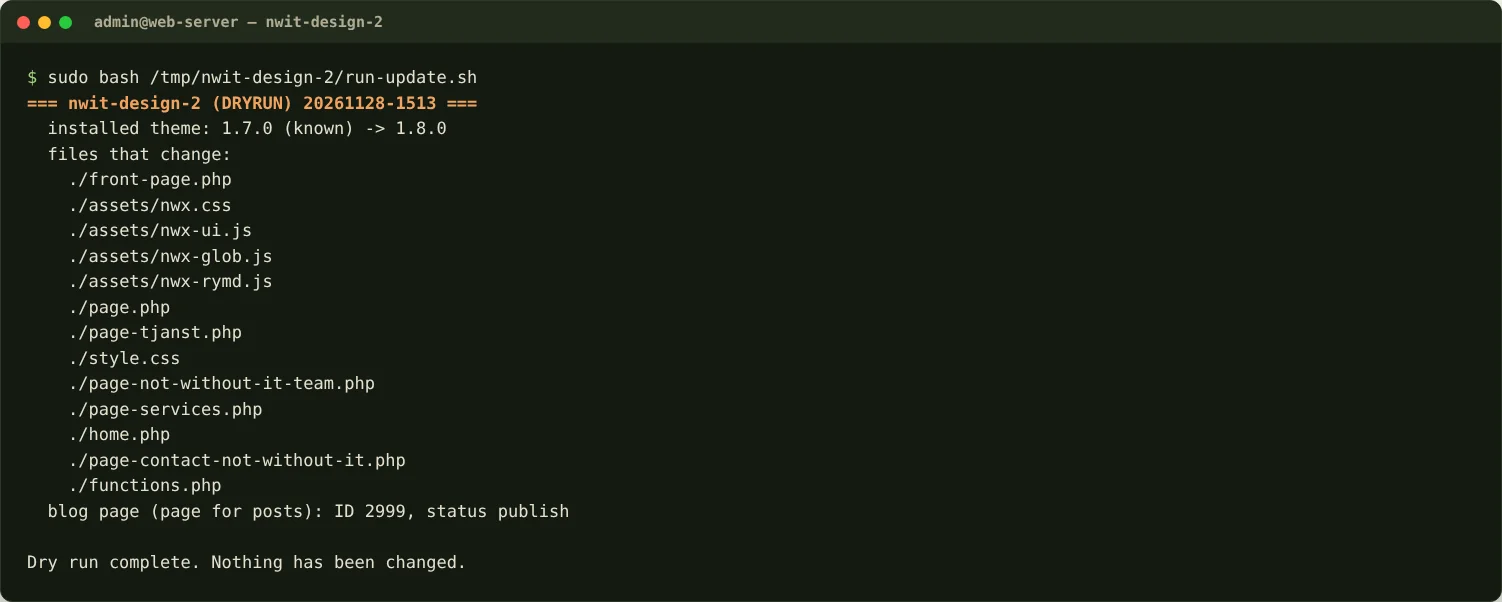
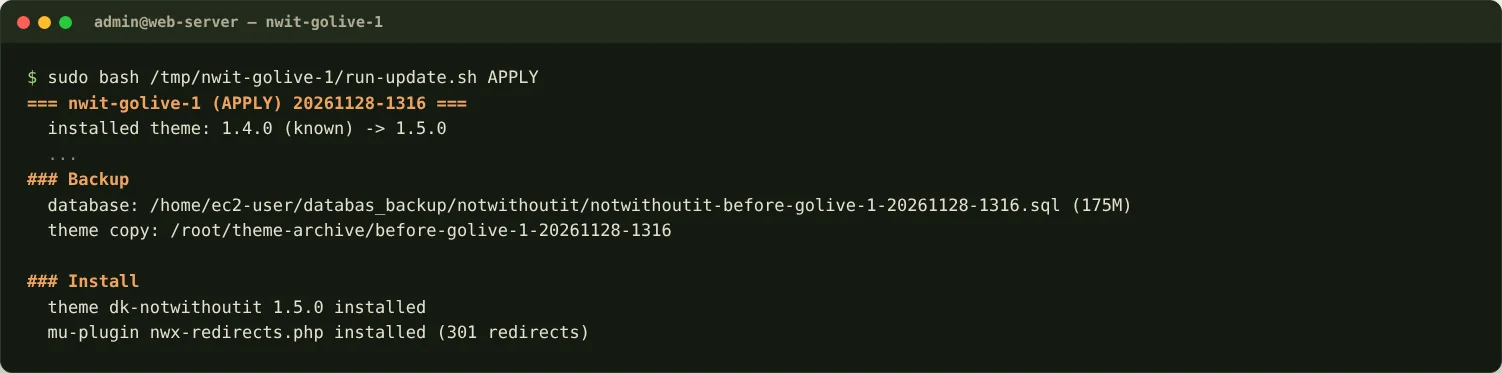
Changes on a production server must never be improvised. Therefore, every update we make follows the same pattern. First, a dry run shows exactly what would change, without changing anything. Next, the script takes a database backup and a copy of the files. Then it applies the change and checks the affected websites as an ordinary visitor. If a check fails, the script restores the previous state automatically.
The screenshots on this page come from that routine on our own server. Before each change, a version check confirms that the server holds exactly the files we expect. Consequently, an old package can never overwrite newer work by mistake.
MariaDB: current versions and upgrades
Database versions matter more than most organizations realize. For example, MariaDB 10.6 reached the end of its community support in July 2026, so servers that still run it no longer receive security fixes. The current long-term support release, MariaDB 12.3, is supported until June 2029. We plan and carry out such upgrades with a full backup, a test on a copy of the database and a verified switch. Similarly, we upgrade PHP before old versions lose their security support.
Web server management on AWS, Azure, Google Cloud and Oracle Cloud
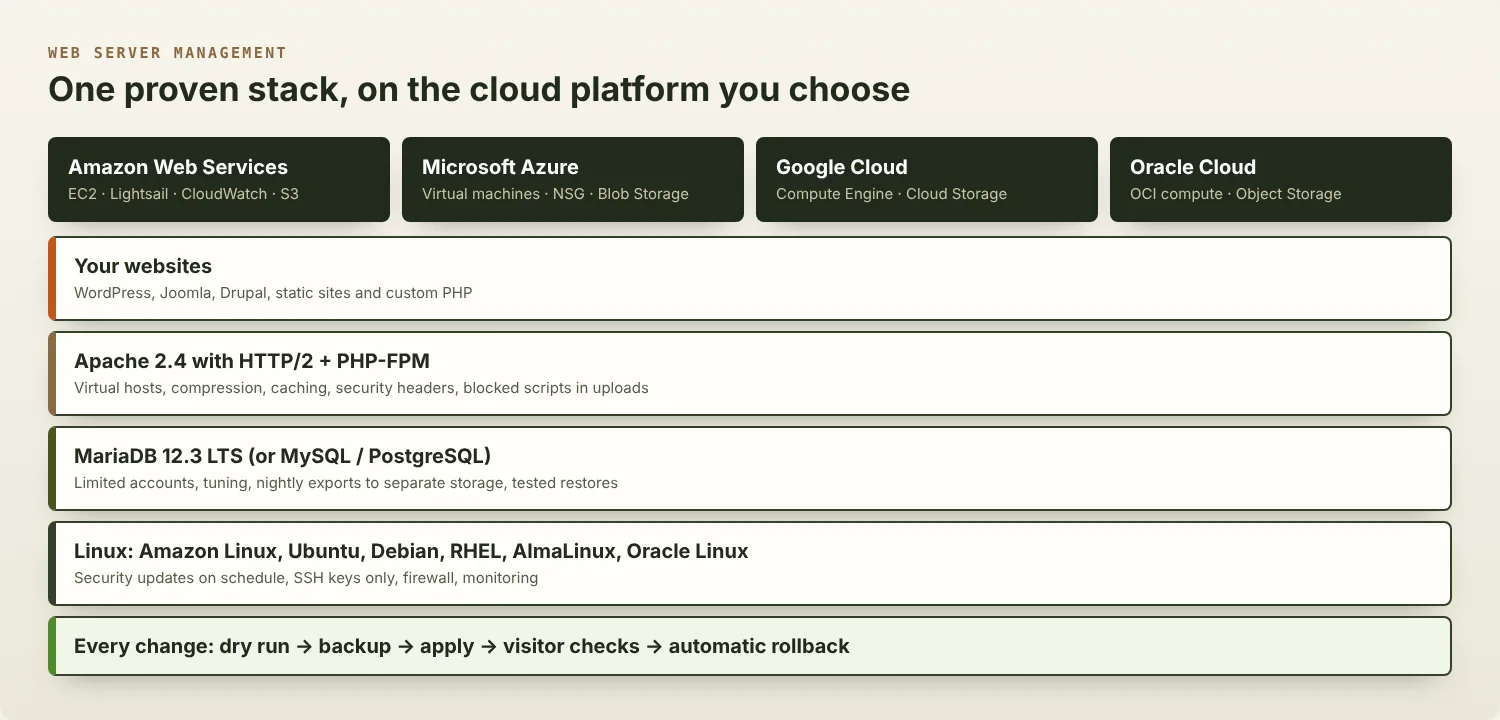
We manage servers on all four major cloud platforms. On Amazon Web Services, we work with EC2 and Lightsail, CloudWatch alarms and S3 for backups. On Microsoft Azure, we use virtual machines, network security groups and Blob Storage. Likewise, on Google Cloud and Oracle Cloud Infrastructure, we run Compute Engine and OCI compute instances with the same Linux, Apache and MariaDB setup. Accordingly, you can choose the platform that fits your agreements, and the routines stay the same.
Many customers start by moving their website from shared hosting to their own server. Our page about running your website on your own cloud server explains that move. Moreover, if the server also runs other Linux workloads, our Linux server support covers them too.
Security hardening for web servers
A hardened web server exposes as little as possible. Typically, we allow SSH only with keys and only from known addresses, close every port the websites do not need and remove version numbers from server responses. We also block execution of scripts in upload folders, protect configuration files and keep database accounts limited to the sites that need them. Finally, we review the logs for repeated login attempts and unusual traffic.
Price and how to get started
Web server management starts at $300 per hour, and we also offer monthly management with a fixed scope. Call (949) 355-1694, send a WhatsApp message or use the form below, and tell us where your server runs today.
Frequently asked questions about web server management
Web server management basics
What does web server management include?
It covers the Linux system, Apache, PHP and the database, including updates, backups, monitoring and security hardening.
Which Linux distributions do you manage?
For example, we manage Amazon Linux, Ubuntu, Debian, Red Hat Enterprise Linux, AlmaLinux and Oracle Linux.
Do you manage Apache only, or also Nginx?
Mainly Apache, which we use on our own servers. However, we also maintain existing Nginx servers.
Do you set up new servers from scratch?
Yes. We install the operating system, the web server, PHP and the database, and afterward we document the setup.
Can you take over a server that someone else installed?
Yes. First, we review the server and document what runs on it, and then we fix the most urgent risks.
Do you manage servers for WordPress, Joomla and Drupal?
Yes. In addition, we run static websites and custom PHP applications.
How often do you update the server?
We apply security updates on a fixed schedule and, in addition, urgent fixes as soon as they are released.
Do you use a control panel such as cPanel or Plesk?
Usually not. Instead, we manage the server directly, which means less software to update and attack.
Databases and backups
Do you install and manage MariaDB?
Yes. We install MariaDB, create limited user accounts, tune performance and run automated backups.
Is my MariaDB version still supported?
MariaDB 10.6 lost community support in July 2026. In contrast, the current long-term release, 12.3, is supported until June 2029.
Can you upgrade my database without losing data?
Yes. First, we take a full backup and test the upgrade on a copy, and then we upgrade the live database.
Do you also manage MySQL and PostgreSQL?
Yes. Besides MariaDB, we also manage MySQL and PostgreSQL.
How do you back up my web server?
We export the databases and copy the files to separate storage, and we test the restore regularly.
How quickly can you restore my website from a backup?
Usually within hours. Moreover, a documented server setup lets us rebuild a server from scratch if needed.
What is a dry run?
A dry run shows exactly what a change would do, without changing anything. Only after that do we apply the change.
Cloud platforms and security
Do you manage servers on AWS?
Yes. On AWS, for example, we work with EC2, Lightsail, CloudWatch and S3.
Do you manage servers on Microsoft Azure?
Yes. We run Linux virtual machines on Azure with network security groups and Blob Storage backups.
Do you work with Google Cloud and Oracle Cloud?
Yes. Likewise, we run Compute Engine and OCI compute instances with the same routines.
How do you secure a web server?
We allow SSH only with keys, close unused ports, block scripts in upload folders and keep every component updated.
Do you install SSL certificates?
Yes. We use Let’s Encrypt certificates with automatic renewal and monitor every expiry date.
Do you monitor my server around the clock?
Yes. Our monitoring sends alerts for downtime, high load, full disks and failed backups.
Can you improve my server’s performance?
Yes. For instance, we tune PHP-FPM, the database and caching, and we enable HTTP/2 and compression.
Costs and working with us
How much does web server management cost?
Our rate starts at $300 per hour, and we also offer monthly management with a fixed scope.
Do you offer monthly server management?
Yes. A monthly plan covers updates, backups and monitoring, as well as a regular security review.
Do you work with clients across the United States?
Yes. As a remote-first company, we manage servers for clients across the U.S.
Do you need root access to my server?
We need administrator access, preferably through our own named accounts, which you can remove at any time.
Do you run your own servers this way?
Yes. Our own websites run on a Linux server with Apache and MariaDB that we manage with these routines.
Can you help with an emergency on my web server?
Yes. Call (949) 355-1694, and an engineer will start with a remote review.
How do I get started?
Call us or use the form below, and tell us which cloud platform and Linux version you use today.
Why choose Not Without IT for web server management?
We test every change with a dry run, back up before we act, roll back automatically and document everything.